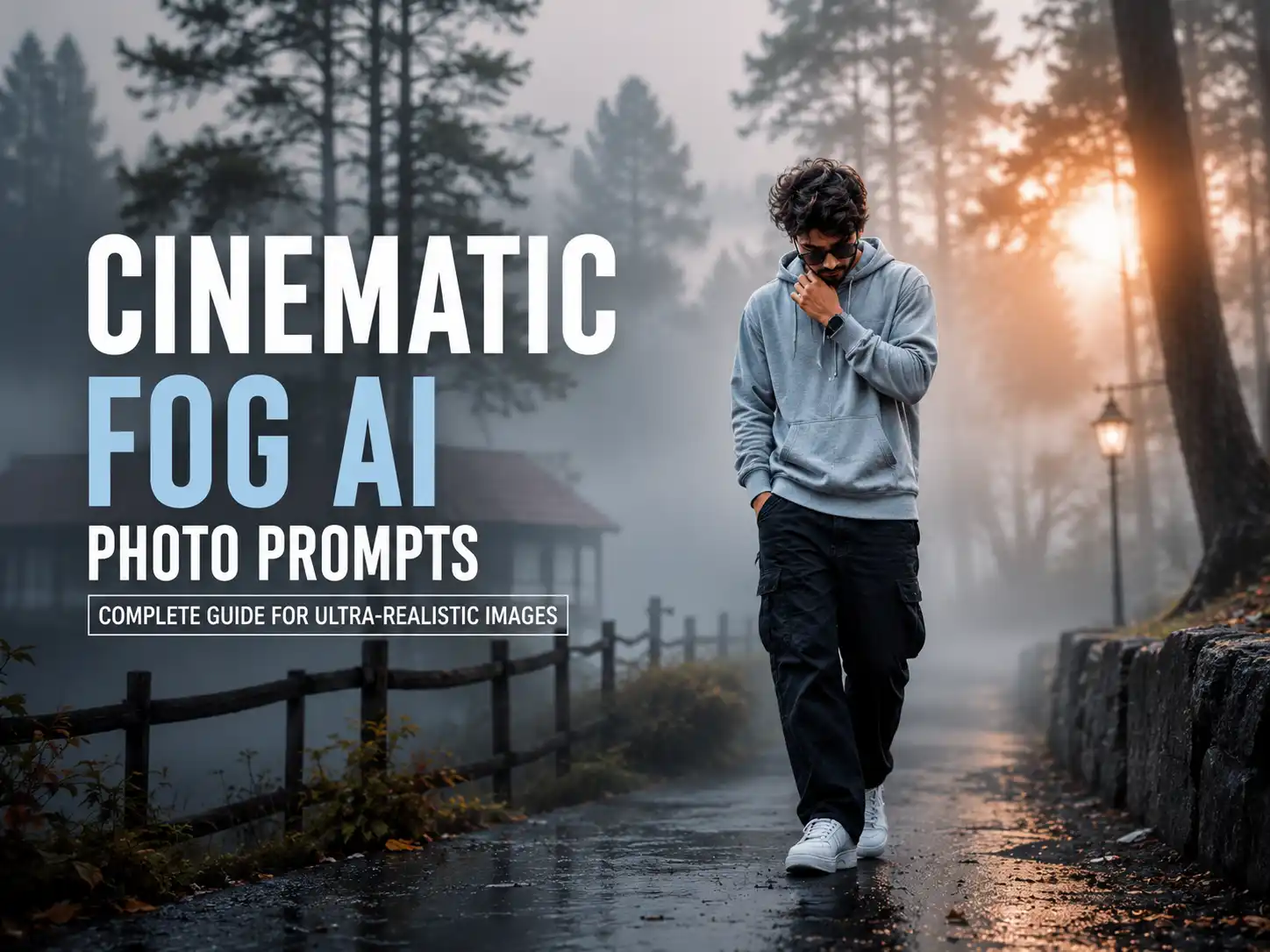
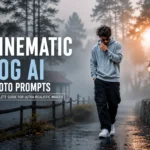
Fog-inspired photography has quickly become a favorite style among AI creators because it adds depth, emotion, and a cinematic feel to any image. Gentle mist, natural light diffusion, and atmospheric effects work together to transform ordinary portraits into visually striking, professional-looking artwork.
Whether you’re creating content for social media, a personal portfolio, or creative projects, learning how to write effective cinematic fog prompts can significantly improve your AI-generated results. In this guide, you’ll discover practical prompt techniques and ideas that work well with popular AI image generators such as ChatGPT, Gemini, Midjourney, and other leading platforms.
Cinematic fog photo prompts are carefully crafted text descriptions that help AI image generators produce realistic scenes filled with fog, soft mist, and dramatic lighting. Instead of creating a basic image, these prompts instruct the AI to add atmosphere, depth, and a movie-like visual style that makes the final result look more immersive and professional.
A well-written cinematic fog prompt typically aims to generate:
Realistic layers of fog and soft atmospheric mist
Professional cinematic color grading with balanced tones
Volumetric lighting, sunbeams, and natural light rays
Ultra-high-resolution images with crisp textures and fine details
Strong depth, mood, and realistic environmental effects
High-end photorealistic visuals inspired by professional photography
These prompts are compatible with most leading AI image generators, including ChatGPT, Gemini, Midjourney, Flux, Ideogram, and similar platforms, making them useful for photographers, designers, social media creators, and digital artists.
Essential Components of Realistic Fog Photography Prompts
Creating convincing fog photography isn’t just about adding mist. The best prompts combine multiple visual elements that work together to achieve a realistic cinematic look.
1. Realistic Fog Layers
Natural-looking fog should appear soft and uneven rather than flat or artificial. Describing layered mist, drifting fog, or subtle atmospheric haze helps the AI create greater depth and a more believable outdoor environment.
2. Cinematic Color Grading
Color plays a major role in establishing the overall mood. Rich forest greens, earthy brown tones, muted highlights, cool shadows, and gentle contrast can transform a simple scene into a polished cinematic composition with a premium visual style.
3. Natural Lighting Effects
Lighting is what gives cinematic images their dramatic appearance. Soft morning light, diffused sunlight, volumetric beams, subtle sun rays, and realistic weather conditions help create an immersive atmosphere that feels natural instead of overly edited.
4. High-Quality Image Specifications
To achieve professional results, it’s helpful to include quality-related instructions in your prompt. Mentioning features such as ultra-HD resolution, DSLR-level detail, HDR quality, realistic textures, and sharp focus encourages the AI to generate cleaner, more detailed, and visually appealing images.
Ultra-realistic cinematic silhouette portrait of a young man captured in perfect side profile during golden hour at sunset. The subject is facing to the right with a calm, contemplative expression. His face is entirely in shadow, creating a clean black silhouette against a warm amber-orange sky. He has naturally messy, medium-length wavy black hair with loose strands blowing gently in the wind, along with a well-groomed full beard and mustache. He is wearing a plain dark shirt that blends into the silhouette.
The background features a smooth, minimal sunset gradient transitioning from soft golden orange to muted peach tones, with a faint, heavily blurred horizon suggesting a beach or open landscape. No visible sun, buildings, or distracting elements. The composition is centered with generous negative space around the head.
Shot with a telephoto lens (85mm–135mm) at f/1.8, producing a very shallow depth of field and creamy background blur. Soft atmospheric haze, natural warm color grading, high contrast between the dark silhouette and glowing sky, subtle filmic tones, and realistic lighting. The image has a peaceful, moody, introspective aesthetic with a premium editorial photography style.
Camera settings: Eye-level side profile, vertical composition (4:5), ISO 100, f/1.8, 1/1000s, warm white balance, ultra-sharp hair outline, smooth bokeh, DSLR quality, 8K resolution, highly detailed, photorealistic.
Use the uploaded reference image ONLY as the facial identity reference. Preserve the person’s exact facial structure, hairstyle, beard, jawline, nose profile, and natural proportions while keeping the face completely silhouetted. Do not alter or beautify the facial features.
Foggy Forest Masterpiece Prompt
Use the uploaded image as the primary reference and preserve its original composition, subject, facial features (if applicable), pose, and proportions. Transform the scene into an ultra-photorealistic cinematic forest environment filled with naturally layered white fog, soft drifting mist, and a tranquil woodland atmosphere. Surround the landscape with rich, realistic greenery while maintaining authentic textures and environmental balance.
Apply a premium cinematic color grade featuring deep emerald greens, dark teal accents, moss-covered foliage, earthy brown tones, soft muted highlights, and natural contrast for a refined outdoor look. Enhance the trees, vegetation, and surrounding scenery into a lush rainforest-inspired setting without making the image appear artificial or overly stylized.
Introduce delicate volumetric sunlight filtering through the mist to create realistic depth, atmospheric perspective, and a subtle cinematic mood. Preserve natural lighting while adding gentle morning haze, cool humidity, and soft environmental diffusion that enhances realism without overpowering the original scene.
Upgrade the image to professional DSLR standards with ultra-high-definition clarity, HDR refinement, crisp textures, precise edge detail, balanced exposure, controlled highlights, clean shadows, smooth tonal gradation, and realistic color harmony. Apply a polished Lightroom-inspired finish that maintains a natural appearance while delivering premium photographic quality.
The final image should resemble a high-end 4K cinematic forest photograph with authentic environmental depth, realistic fog effects, immersive atmosphere, and the visual quality of a professionally captured National Geographic-style landscape.
**Style:** Cinematic Forest Photography, Realistic White Fog, Atmospheric Mist, Volumetric Sunlight, Moody Woodland, HDR, Ultra-HD DSLR Quality, Professional Color Grading, Photorealistic Nature, Environmental Depth, 4K.
Cinematic Color Grading with Subject Identity Preservation
This professionally crafted cinematic fog prompt is designed to maintain the original subject’s appearance while enhancing the overall image with premium cinematic color grading. It is an excellent choice for portraits, product shots, and other subject-focused compositions that require a realistic foggy atmosphere without altering the main subject.
Use the uploaded image as the only reference. Preserve the original subject exactly as captured, including facial identity, hairstyle, expression, body proportions, clothing, pose, skin texture, and composition. Do not recreate, beautify, reshape, or modify the subject in any way.
Keep the original beach environment and camera angle intact while enhancing the entire scene with premium cinematic color grading. Create a warm golden-hour sunset atmosphere with soft amber sunlight, rich blue ocean tones, natural sandy textures, and elegant contrast. Add subtle volumetric sunlight, gentle glow, realistic atmospheric haze, and refined depth without changing the original background or replacing any environmental elements.
Apply professional film-inspired color science with warm highlights, cool cinematic shadows, smooth tonal transitions, balanced exposure, realistic skin tones, natural color harmony, and rich dynamic range. Enhance textures, clarity, and sharpness while maintaining a realistic DSLR look.
Upgrade the image to ultra-high-definition 4K quality with HDR refinement, crisp details, clean edges, soft background depth, and premium Lightroom-style finishing. The final image should resemble a professionally captured luxury beach portrait shot on a full-frame DSLR using an 85mm lens during golden hour, with elegant cinematic mood, realistic lighting, and a high-end editorial photography aesthetic.
Style: Luxury Beach Portrait, Golden Hour Photography, Cinematic Color Grading, Professional Lightroom Edit, DSLR Photography, Ultra Realistic, HDR, 4K, Film Look, Soft Volumetric Light, Editorial Portrait, Natural Skin Tones, Premium Color Science.
Ultra-Realistic Forest Atmosphere Prompt
A concise yet highly effective cinematic fog prompt designed to deliver stunning visual transformations with minimal effort.
Use the uploaded reference image only as the facial identity and subject reference.
STRICT IDENTITY LOCK
The uploaded person must remain exactly the same. Preserve the face, hairstyle, skin tone, eyes, eyebrows, nose, lips, jawline, expression, body proportions, clothing details (unless specified otherwise), pose accuracy, and every unique facial characteristic. Do NOT beautify, reshape, regenerate, or alter the person’s identity in any way.
Create an ultra-realistic cinematic outdoor portrait in a peaceful fog-covered forest meadow during the early morning golden hour. The subject is naturally walking through lush green grass while looking slightly to the side with a genuine soft smile. Dense mist gently fills the background between tall pine trees, creating a dreamy atmospheric depth.
The subject wears a premium oversized black leather biker jacket over a black-and-white striped high-neck sweater with elegant black trousers. The jacket has realistic leather texture, natural folds, metallic zippers, and subtle reflections.
Lighting should be soft cinematic diffused morning light filtered through thick fog, producing delicate highlights on the face and jacket while maintaining realistic shadows. Add subtle volumetric light rays passing through the mist without overpowering the subject.
Color grading should feature deep forest greens, muted earthy tones, rich blacks, soft warm skin tones, and a premium cinematic teal-and-gold mood with natural contrast. The atmosphere should feel calm, luxurious, emotional, and editorial.
Composition:
– Vertical portrait (4:5 ratio)
– Mid-length framing from thighs upward
– Subject positioned slightly left of center
– Eye-level camera angle
– 85mm lens look
– Wide aperture (f/1.8)
– Beautiful creamy background separation
– Strong depth of field
– Highly realistic natural perspective
Rendering Quality:
Ultra-photorealistic, DSLR-quality, fashion editorial photography, HDR, 8K resolution, ultra-sharp facial details, realistic skin texture, individually visible hair strands, premium leather texture, cinematic depth, volumetric fog, natural lighting, soft color transitions, masterpiece quality.
Negative Prompt:
low quality, blurry face, duplicate person, cartoon, CGI, AI artifacts, oversaturated colors, plastic skin, unrealistic lighting, extra fingers, extra limbs, deformed anatomy, distorted face, incorrect identity, unrealistic smile, excessive sharpening, watermark, logo, text, frame, cropped head, bad hands, overprocessed skin, noisy image.
Moody Outdoor Scenery AI Prompt
Use the uploaded image as the only reference. Preserve the original subject exactly as photographed, including facial identity, hairstyle, expression, clothing, body proportions, pose, skin texture, and placement. Do not recreate, beautify, reshape, or modify the subject in any way.
Transform the surrounding environment into a breathtaking cinematic mountain landscape featuring a winding asphalt road through towering pine forests, dramatic snow-covered peaks in the distance, and dense natural white fog drifting across the valley. Add layered atmospheric mist, low-hanging clouds, subtle rainfall, wet reflective pavement, and realistic moisture on the landscape to create a cold alpine atmosphere.
Introduce powerful volumetric sunlight breaking through storm clouds with soft god rays illuminating the mountains and fog. Maintain natural weather physics with realistic cloud formations, atmospheric perspective, and immersive environmental depth. Enhance the forest with lush evergreen trees, wet vegetation, rocky cliffs, and cinematic wilderness while preserving photorealism.
Apply premium cinematic color grading inspired by ARRI Alexa Mini LF, Kodak Vision3 500T, Kodak 2383 Print LUT, Leica Color Science, and DaVinci Resolve. Create deep forest greens, charcoal gray skies, cool blue shadows, earthy brown textures, soft silver fog, and warm golden light rays with elegant tonal separation and natural color harmony.
Upgrade the entire image to ultra-HD DSLR quality with HDR refinement, razor-sharp textures, balanced exposure, realistic reflections, crisp environmental details, smooth highlight roll-off, rich contrast, subtle film grain, and professional Lightroom-style finishing.
The final image should resemble a high-end National Geographic cinematic adventure photograph captured on a full-frame DSLR using a 35mm lens during a cold rainy morning in the mountains, with realistic fog scattering, dramatic weather, immersive depth, and a luxurious feature-film aesthetic.
Style: Cinematic Mountain Road Photography, Moody Nature, Dense Natural Fog, Rainy Atmosphere, Snowy Mountains, Volumetric God Rays, DSLR Photography, HDR, Ultra Realistic, National Geographic Style, Professional Lightroom Color Grading, 4K, Photorealistic.
Pro Tips for Better Cinematic Fog AI Images
1. Choose a Sharp and Well-Lit Source Image
A clean, high-resolution photo provides the best foundation for AI enhancements. Images with good lighting, proper focus, and clear details allow cinematic fog effects to blend more naturally while preserving realism.
2. Personalize the Color Palette
Don’t limit yourself to standard forest tones. Experiment with different color combinations that match your creative vision or brand identity. Shades like deep burgundy, royal blue, bronze, or silver can completely change the mood while maintaining a cinematic appearance.
3. Control the Atmospheric Intensity
The amount of fog greatly influences the final look of an image. Use light mist for a subtle cinematic feel, medium fog for balanced depth, or thick atmospheric fog when you want a dramatic and mysterious environment.
4. Enhance Images in Multiple Stages
Instead of relying on a single prompt, divide the editing process into separate steps. Generate the base cinematic scene first, then apply a dedicated color-grading or lighting prompt to achieve richer details and a more polished result.
5. Compare Results Across Different AI Models
Every AI image generator interprets prompts differently. Try the same prompt with platforms such as ChatGPT, Gemini, Midjourney, Flux, Ideogram, or DALL·E, then compare the outputs to discover which style best matches your creative goals.
6. Build a Consistent Visual Collection
Creating multiple cinematic images in one session helps maintain a consistent visual style across your content. This approach is especially useful for social media creators, blogs, portfolios, and digital marketing campaigns.
💡 Expert Tip: After generating your final image, consider using an AI image upscaler to improve resolution and fine details. Upscaling can produce sharper textures and higher-quality outputs, making your images more suitable for large displays, professional presentations, and high-resolution printing.